FOR PEOPLE WHO THINK ON PAPER
Keep the notebook.
Bring the page
into view.
MCPics is a camera in development for sharing handwritten pages with a compatible AI agent. We’re exploring ways to review and organize those notes in Obsidian while keeping the original page alongside them.
Join the early-access list● In development · Intended workflow
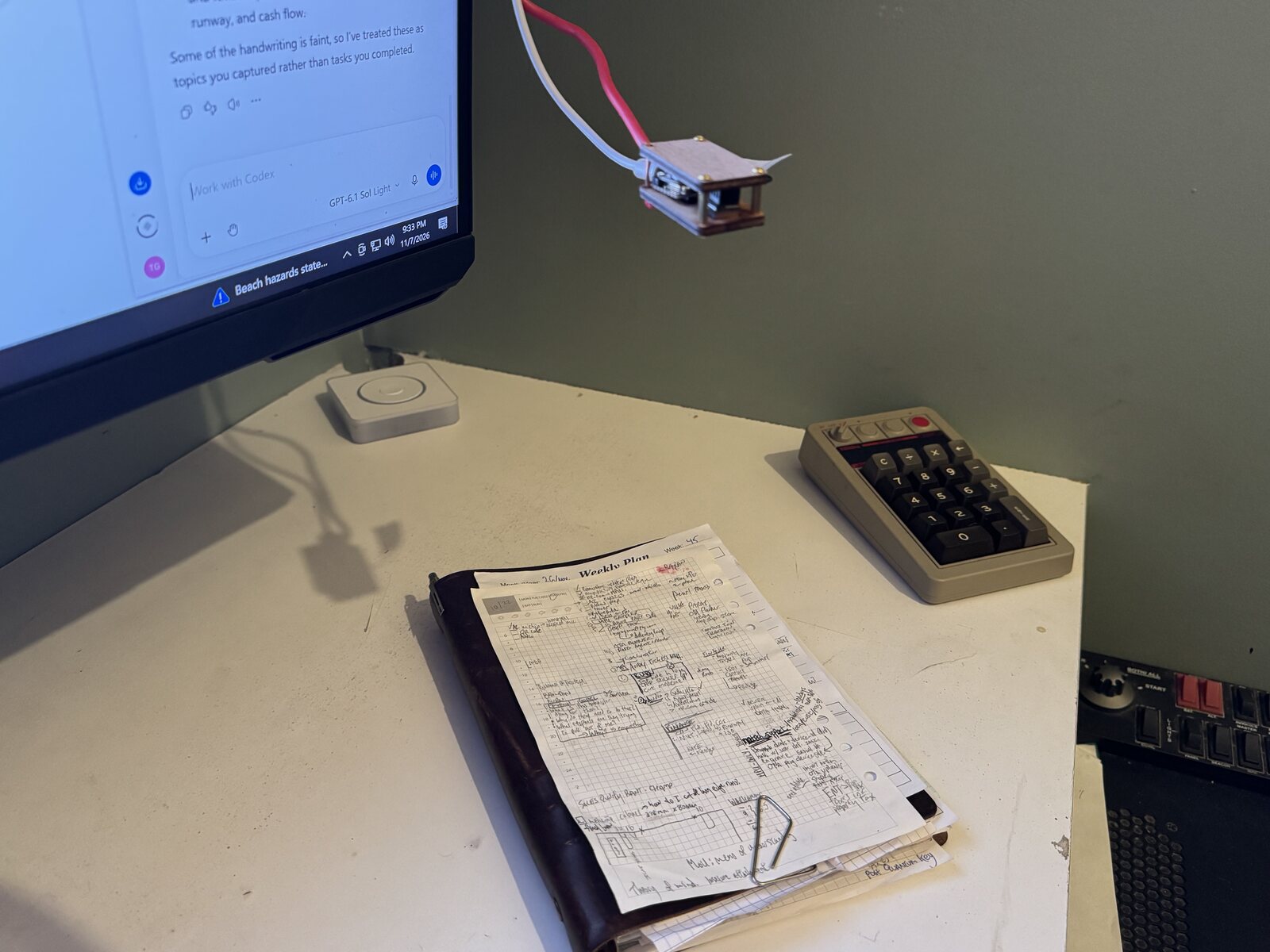
PLANNED WORKFLOW / NOT A LIVE DEMO
From a paper page to a reviewed note.
For people already photographing meeting notes, daily notes, and project pages for an Obsidian vault.
- 01
Capture a page
Position the camera over your handwritten page and request a picture.
- 02
Read, flag, review
“Read this page, flag anything unclear, and draft a note for my review.”
- 03
Save with your tools
Review and correct the draft, then save the note and original image through a separately configured integration.
MCPics supplies the picture. Your agent interprets it; saving into Obsidian requires a separately configured integration. There is no demonstrated automatic sync or guaranteed Markdown output.
Join the early-access listBEFORE THE FIRST PICTURE
Check the connection.
You’ll need a camera service, network access from your agent’s host, and a compatible MCP client. A cloud agent cannot directly reach a private .local address.
Exact tested client, OS, image quality, and capture-control details are still to be published. These photographs show prototype placement, not captured-image quality or a verified end-to-end result.
Explore setup requirements ↗A WORK IN PROGRESS. WITH YOU.
Help shape what
comes into view.
Join the early-access list for MCPics and help shape the paper-notes workflow.
The camera is in development. Joining does not reserve hardware or guarantee a testing invitation.
A place on the list.
Start with your email.
A FEW PRACTICAL QUESTIONS
Before you join.
Why not use my phone or webcam?
You can. A phone is a good option for occasional captures, and existing software can connect webcams to agents. MCPics is exploring a dedicated camera for repeated desk captures. A setup or time-saving advantage has not yet been demonstrated.
Will it change what I wrote?
The agent may misread handwriting. The intended workflow includes reviewing and correcting its draft. Transcription and optional summarization are different steps; neither should silently replace the original.
Will my notes become searchable?
A picture alone does not make handwriting searchable. Recognized text must be reviewed and saved through your agent and notes tools. If capture is already easy, a software export or integration change may be all you need.
Which agents can I use?
You need a client that supports the device’s MCP transport and can reach the camera. A protocol connection alone does not establish tested compatibility. See the setup guide for connection requirements; exact tested configurations still need to be published.
What will it cost, and when will it ship?
Price, shipping dates, and the final hardware package are not yet announced. This is an early-access interest list, not a purchase or reservation.
Where do the pictures go?
The camera supplies an image to your connected agent. That agent provider’s data handling applies. Local networking does not mean local-only AI processing. Device capture controls, storage, and retention still need to be documented before release.